
Imagine an organization with 20+ entities maintaining 50 or more bank accounts with different currencies. How cumbersome it is to revaluate every bank account to reflect the balances accurately from time to time in an ERP application for key decision making?
D365 for finance now provides ability to revaluate bank balances for multiples banks of different legal entities on a single screen. This blog space provides you all the required details from configuring to ciphering behind the new bank foreign currency revaluation functionality in D365.
How it works?
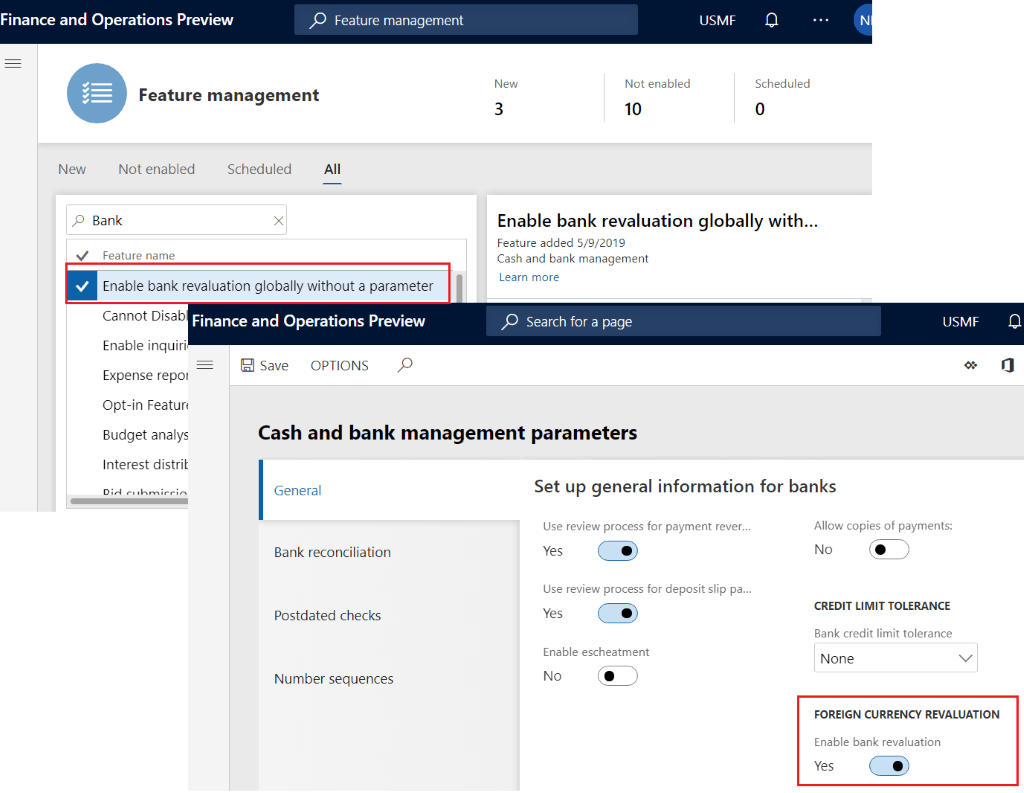
At the outset, bank foreign currency revaluation feature can be enabled through feature management or from cash and bank management module.
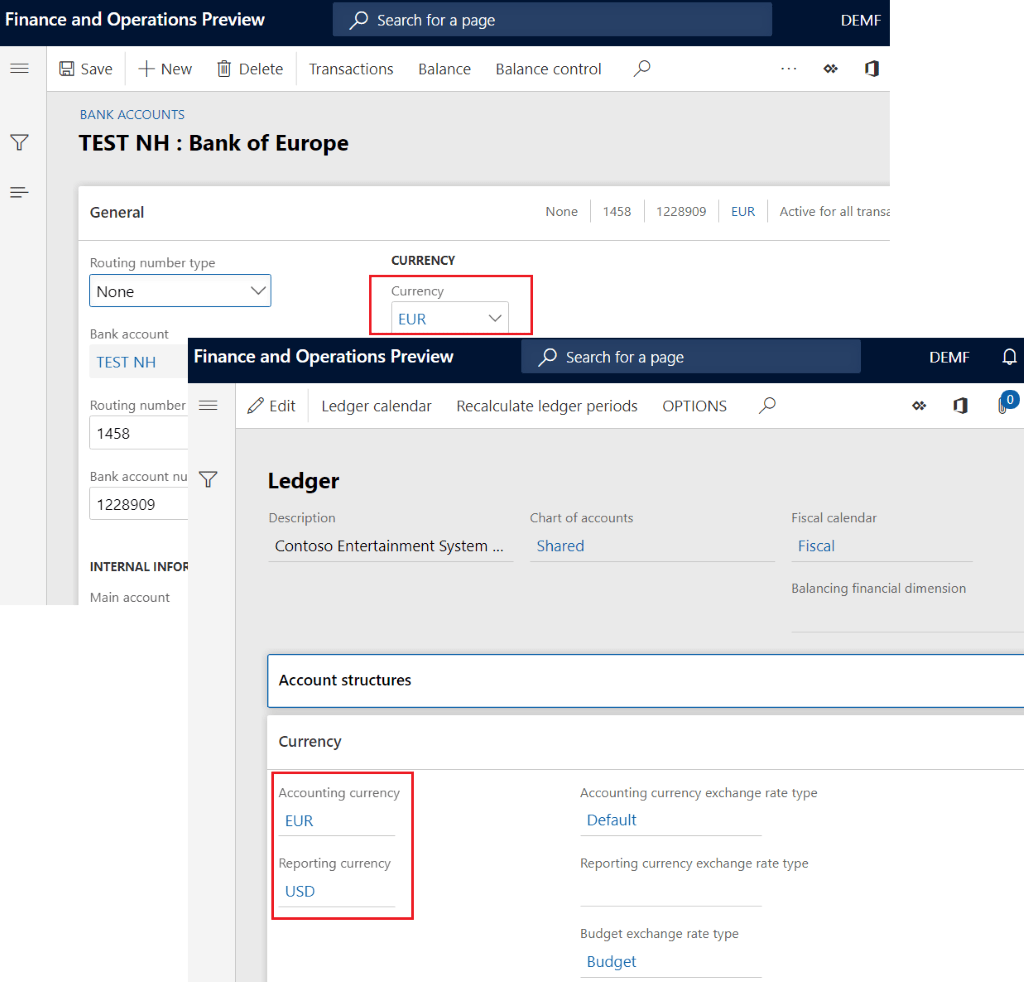
The bank balances will be revalued if banks base currency is different than the accounting currency or reporting currency of the legal entity, there will be no revaluation entries If the banks base currency is same as accounting currency. Likewise, for reporting currency
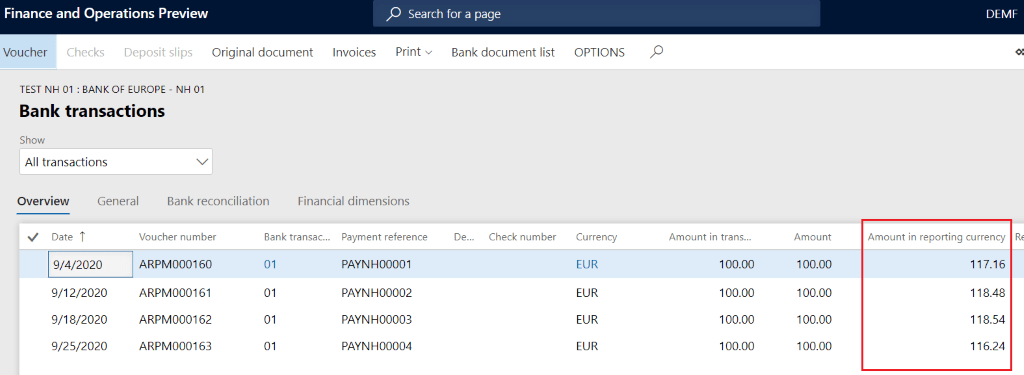
The transaction will be created for the difference between the old and new balance calculated for accounting currency and reporting currency. The most important is the entries are split based on the new balance calculated for each financial dimension that are posted to bank transactions
Please refer to the example below to get the comprehensive understanding of this feature
Let’s say the below transactions are posted for the bank account by business unit
| Date | Business unit | Exchange rate (USD – EUR) | Base currency amount (EUR) | Accounting Currency Amount (EUR) | Reporting currency amount (USD) |
| 9/04/2020 | 001 | 85.356 | 100 | 100 | 117.16 |
| 9/12/2020 | 002 | 84.409 | 100 | 100 | 118.47 |
| 9/18/2020 | 002 | 84.366 | 100 | 100 | 118.53 |
| 9/25/2020 | 001 | 86.026 | 100 | 100 | 116.24 |
| Total Balance | 400 | 400 | 470.40 | ||
| 001 | 200 | 200 | 233.40 | ||
| 002 | 200 | 200 | 237.00 |
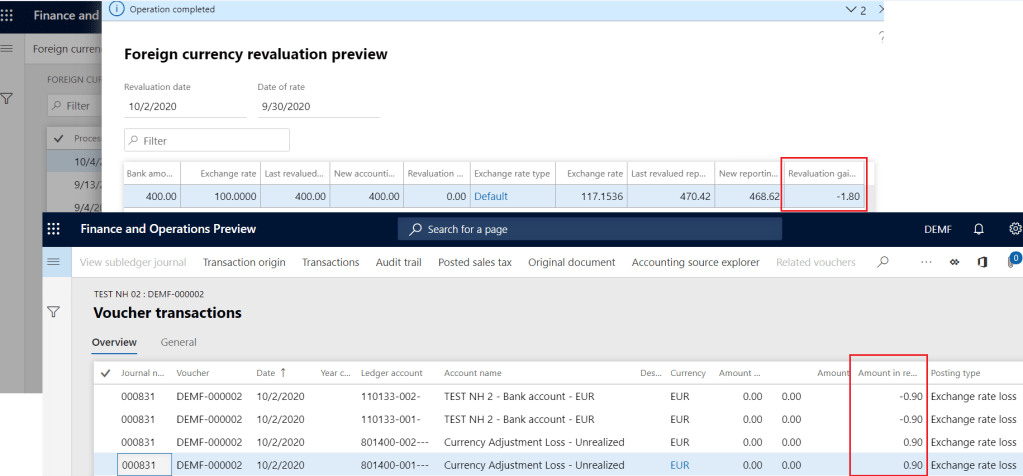
The revaluation is run as on Sept 30th, 2020 with exchange rate of 85.358.
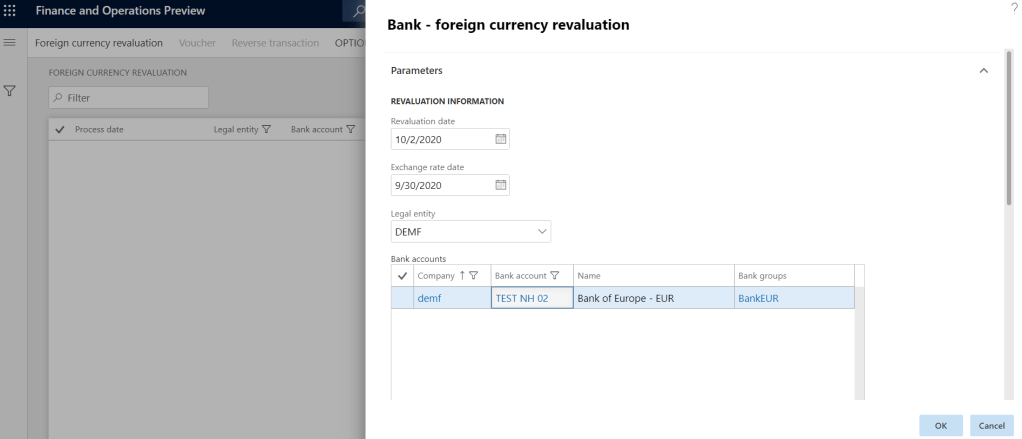
Note the base currency of the bank and the accounting currency is same. Hence, there will no revaluation entry for accounting currency. But the transaction entry will be created for the difference in balance for reporting currency (USD).
D365 revaluation calculation:
| Business unit | Old Balance (USD) | New balance (USD) | Revaluation Difference | D365 Calculated revaluation loss (50%) |
| 001 | 233.40 | 234.31 | 0.9 | -0.9 |
| 002 | 237.00 | 234.31 | -2.7 | -0.9 |
| Totals | 470.40 | 468.61 | -1.8 |
Revaluation calculation for each dimension = Total revaluation difference * Percentage of balance in each dimension
Total revaluation difference = $-1.80
Percentage of balance in each dimension = New balance in each dimension / New total balance
New balance in both dimension (001 & 002) = $234.31
New total balance = $468.61
Percentage of balance for both departments (001 & 002) = $234.31/$468.61 = 50%
So, the revaluation calculation for both departments (001 & 002) = $-1.80 * 50% = -0.9
If you like the post, please share with your connection. Also, follow and watch this space for more information on Microsoft business applications.
Reference:
https://docs.microsoft.com/en-us/dynamics365/finance/cash-bank-management/bank-revaluation
 Namith Hosmane's Blog
Leave a comment